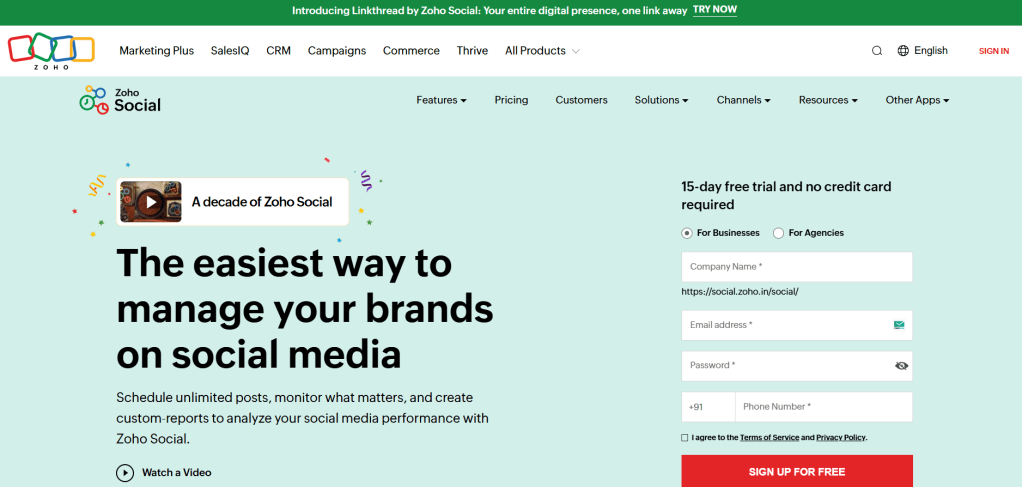
Zoho Social is a comprehensive platform that helps businesses, agencies, and solopreneurs manage their social media presence with ease. With powerful tools for scheduling, monitoring, analytics, and team collaboration, Zoho Social simplifies everything from planning content to tracking performance—all in one intuitive dashboard.
Whether you’re managing one brand or multiple clients, Zoho Social helps you stay consistent, organized, and effective.
Here are some of the best features of Zoho Social:
Effortless Post Scheduling
Zoho Social makes it easy to schedule content for:
- Facebook Pages
- Instagram (Posts, Reels, Stories via reminders)
- Twitter (X)
- Google My Business
Use SmartQ to automatically post at the best times for maximum engagement—or plan your calendar manually with drag-and-drop tools.
Real-Time Monitoring
Track what people are saying about your brand in real time. Zoho Social lets you:
- Monitor mentions, tags, and keywords
- Stay on top of brand conversations across networks
- Respond to comments and messages quickly
- Track competitors and industry trends
This helps you engage with your audience and protect your online reputation proactively.
Visual Content Calendar
The calendar view gives you a complete overview of all scheduled posts. You can:
- Reschedule content with a simple drag-and-drop
- Filter by platform, status, or team member
- Add notes, plan campaigns, and spot content gaps
It’s the ultimate planning tool for keeping your strategy organized.
Robust Analytics & Reports
Zoho Social delivers in-depth reports that help you:
- Track post performance (likes, shares, reach, clicks)
- Measure follower growth and engagement rates
- Identify top-performing content and best posting times
- Generate customizable reports for clients or internal teams
Data-backed decisions = smarter content strategies.
Team Collaboration
Working with a team? Zoho Social lets you:
- Assign roles and permissions
- Discuss ideas using shared notes and comments
- Review and approve posts before they go live
- Share reports and campaigns with clients or stakeholders
It’s perfect for agencies or businesses managing multiple team members or brands.
CRM Integration
Since Zoho Social is part of the larger Zoho ecosystem, it integrates smoothly with:
- Zoho CRM
- Zoho Desk
- Zoho Campaigns
- Other third-party apps like Canva, Bitly, and HubSpot
This creates a seamless experience from marketing to sales and support.
Mobile App for On-the-Go Management
Manage your social media from anywhere using the Zoho Social mobile app (iOS & Android):
- Schedule or publish content
- Get real-time notifications
- Reply to messages or comments
- View performance metrics
It’s social media management that moves with you.
Is it Free?
Yes! Zoho Social offers a free plan for individuals and small teams, with essential features like post scheduling and basic analytics.
For more advanced tools, collaboration features, and CRM integration, paid plans start at just $15/month—making it a cost-effective choice for growing brands.
Why I Use Zoho Social
Juggling multiple social accounts can get overwhelming, but Zoho Social keeps everything under control. From planning posts and responding to followers, to reviewing analytics and collaborating with my team—it streamlines every part of the process.
If you’re looking for a professional, affordable, and scalable solution to manage your social media, Zoho Social is definitely worth trying.
![nick [Alliedify] Avatar](https://0.gravatar.com/avatar/6955a6009ff9c6a76e2eb88c263c9426c8c386b0a7637b4d0cc051871ee8c9f3?s=40&d=identicon&r=G)
 Alliedify
Leave a comment