
Thinking about launching your first online store but not sure which platform to start with?
Here’s a thought: try Pinterest.
Yes, that app where people collect recipe ideas and home office inspo can actually become your secret sales weapon.
If you’ve ever asked yourself “Can I sell products on Pinterest?” the answer is a big YES. And in this guide, I’ll show you how to set up shop, what kinds of products thrive on Pinterest, and how to build a strategy that gets clicks and sales.
Let’s dive in.
Disclosure: This post may contain affiliate links. We may earn a commission when you buy through our links—at no extra cost to you.
What Is Pinterest ?
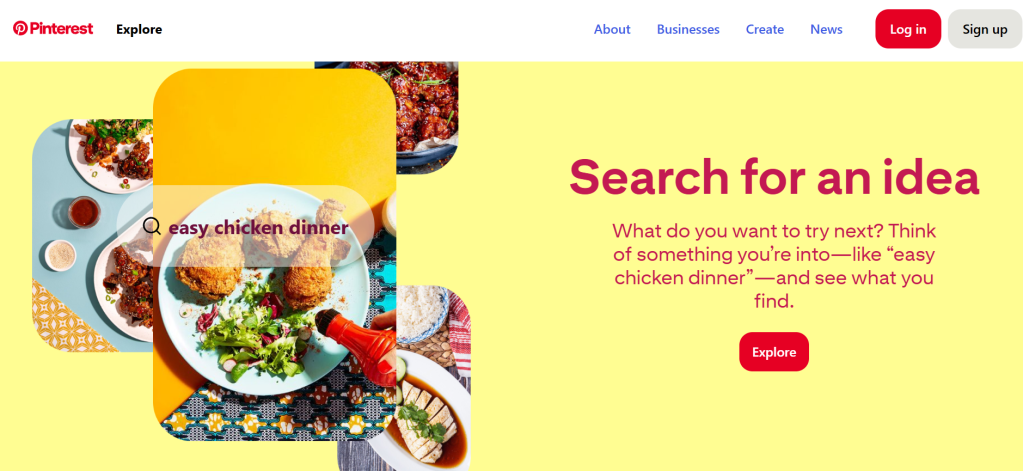
Pinterest is primarily a tool for discovering visual content.
Users browse and “pin” ideas onto themed boards anything from kitchen reno goals to DIY crafts to gift guides. It’s like Google, but prettier. And now, it’s a shopping platform too.
Think of it as a place where your product can be the solution to someone’s dream setup, wedding board, or skincare routine.
Why Sell on Pinterest?
If you’re building a product-based brand, here’s why Pinterest should absolutely be on your radar:
Massive Audience
Pinterest has over 500 million active users and growing. That’s a ton of potential eyeballs on your brand.
High Buyer Intent
Pinners are planners. They’re not just browsing they’re saving ideas with the intention to buy.
Unbranded Searches Dominate
97% of Pinterest searches are unbranded, meaning it’s a level playing field for new sellers. You don’t need to be a household name to show up in search.
Boosted SEO & Web Traffic
When optimized well, Pins can drive consistent traffic to your product pages—weeks or even months after you post them.
Improved Conversions
Thanks to built-in shopping tools and the power of visuals, Pinterest shortens the buyer journey.
What Sells Well on Pinterest?
Not every product category thrives on Pinterest, but these do especially well:
Home Decor & Furniture – From minimalist to boho, this category is huge.
Fashion & Accessories – Pins featuring outfit inspo, jewelry, and accessories tend to perform well.
Beauty Products – Skincare, makeup tutorials, and product demos are Pinterest gold.
️ DIY & Craft Supplies – Pinterest users love projects. If your product supports creativity, it belongs here.
Wedding & Event Products – Brides-to-be and party planners use Pinterest to map out every detail.
️ Fitness & Wellness – Healthy lifestyle content + good visuals = traffic magnet.
Bonus Tip: Seasonal items do great but start promoting them at least 30–45 days before the actual holiday or season.
Step 1: Create Your Online Store
Before selling anything, you need a solid foundation: your eCommerce store.
This is where your Pinterest traffic will make purchases, so ensure:
- Product photos are sharp and scroll-stopping
- Descriptions are clear and benefit-focused
- Checkout is smooth and secure
Recommended Platform: Shopify
It’s beginner-friendly, has built-in Pinterest integration, and offers a free trial to test the waters.
Not sure how to build a store?
You’ve got 3 options:
- DIY – Use Shopify’s drag-and-drop editor.
- Online Courses – Try Shopify Learn or Skillshare.
- Hire an Expert – Outsource it and focus on marketing.
Step 2: Set Up a Pinterest Business Account
To sell, you’ll need more than just a personal profile.
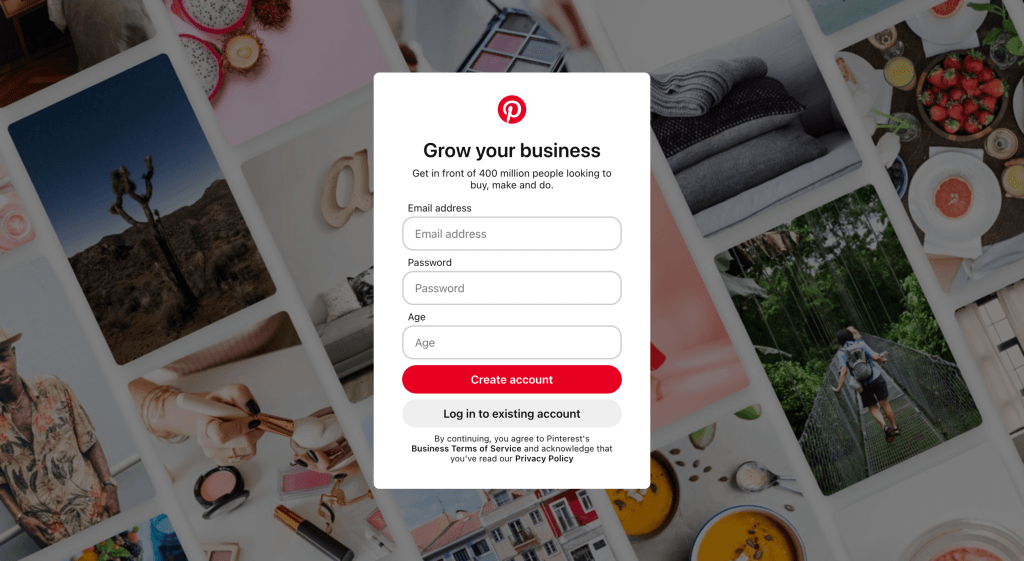
A Pinterest Business account gives you access to analytics, ads, and shopping tools.
️ Head to pinterest.com/business/create to set yours up.
Then:
- Add your store URL
- Add a profile picture that shows your brand
- Write a bio using keywords your target audience might search
- Connect your Shopify store for seamless product syncing
Pro Tip: Apply for the Verified Merchant Program to get that blue checkmark + product badges that boost trust and visibility.
Step 3: Create High-Converting Product Pins
A “Pin” is like a digital flyer for your product. But it needs to do more than just look pretty.
A great Product Pin includes:
- A compelling image
- A keyword-rich title
- A clear description
- A link back to your product page
If you’re using Shopify + Pinterest together, most of this gets auto-filled from your product catalog.

Bonus Tip: Don’t just Pin products also share tutorials, tips, and lifestyle content to build brand depth and drive engagement.
Tool of Choice: Canva
With Canva’s Pinterest templates, you can easily create eye-catching Pins, no design skills needed.
Step 4: Promote Your Pins Strategically
Pinterest isn’t about posting once and vanishing.
To get traction:
- Create niche-specific boards
- Use relevant keywords in your Pin titles, descriptions, and boards
- Post consistently (use scheduling tools if needed)
- Experiment with Promoted Pins if you’re ready to run ads
Pinterest is a search engine first. Think like your customer: What would they type in to find your product?
Step 5: Track What’s Working (And What’s Not)
Pinterest Analytics is your dashboard for improvement.
Keep an eye on:
- Impressions – The number of people who viewed your Pins
- Engagements – Who liked, saved, or clicked
- Outbound Clicks – Who clicked through to your store
- Saves – How many saved your Pin for later (a sign of intent)
Pair it with Google Analytics to see what Pinterest traffic does once they land on your store.
Change your Pin designs, keywords, and content strategy according to the data.
How to Sell on Pinterest in 2025 (Step-by-Step)
- Build your online store (preferably with Shopify)
- Create a Pinterest Business account and connect your store
- Design keyword-optimized Pins with Canva
- Promote them using boards, SEO, and ads
- Analyze performance and double down on what works
FAQs About Selling on Pinterest
Is Pinterest free to sell on?
Yes! You can create a free business account. Promoted Pins (ads) cost money, but using the platform organically is free.
Do I need a website to sell on Pinterest?
Technically no, but having an eCommerce store (like Shopify) makes the whole process smoother, more professional, and easier to convert visitors into customers.
Can I sell digital products on Pinterest?
Absolutely. eBooks, templates, printables, and courses work great just make sure your store supports digital delivery.
Final Thoughts
Pinterest is no longer just a visual scrapbook it’s a full-blown sales channel. And the best part? You don’t need to be a big brand to make it work.
If you stay consistent, optimize your Pins, and focus on creating helpful content for your audience, you can start turning scrolls into sales.
Tip: Don’t wait until everything is “perfect.” Start simple, learn fast, and scale what works.
![nick [Alliedify] Avatar](https://0.gravatar.com/avatar/6955a6009ff9c6a76e2eb88c263c9426c8c386b0a7637b4d0cc051871ee8c9f3?s=40&d=identicon&r=G)
 Alliedify
Leave a comment