
• by Nick
Ever spent time crafting the perfect line only to copy something else seconds later and lose it for good?
Yeah, we’ve all been there.
Welcome to the underrated pain point of modern work: the fragile default clipboard.
But there’s good news clipboard managers are here to change that.
Think of them as your personal copy-paste time machine. They track everything you copy, give you access to your clipboard history, and let you organize, pin, and reuse things without that frantic “undo” scramble.
Whether you’re a developer juggling code snippets, a content creator compiling research, or a multitasker jumping between chats and spreadsheets these clipboard tools will give you a productivity edge in 2025.
Why Clipboard Managers Matter More Than Ever
Let’s break it down. The average person copies more than 50 items per day URLs, text, file paths, passwords, even emojis. Yet by default, your device only remembers one at a time.
Clipboard managers change that with features like:
- Unlimited clipboard history
- App-based exclusions for sensitive data (think passwords or banking info)
- Support for text, links, images, and files
- Multi-device syncing (for pros on the move)
- Smart search and pinboards for frequently used items
In short, they turn your clipboard from a single-use tool into a searchable, synced, customizable productivity engine.
And yes privacy matters. Most clipboard managers now offer automatic exclusion rules, local-only storage, or encrypted sync options so you can use them safely.
5 Best Clipboard Managers to Try in 2025
1. Paste (Mac, iOS)
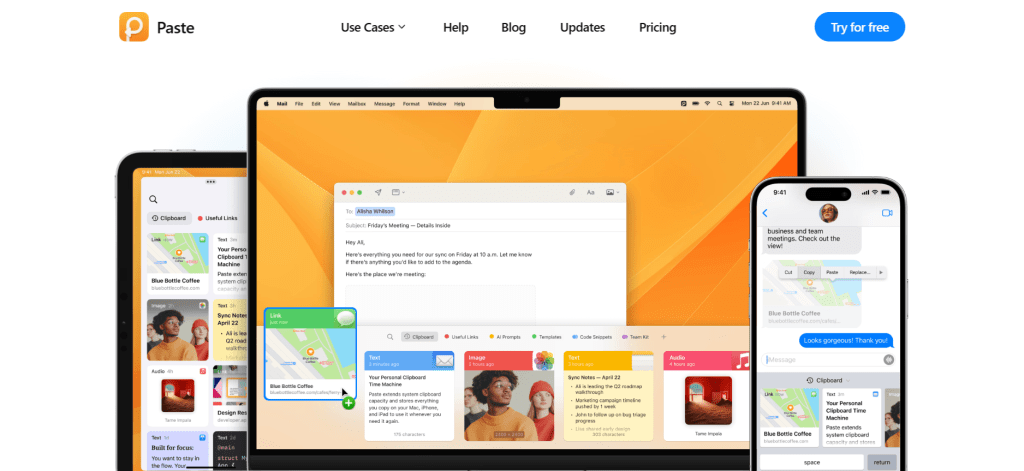
If Apple made a clipboard manager it would look like Paste. Sleek, intuitive, and built with design at its core, Paste is a natural fit for Mac and iOS users who want more from their clipboard.
Why Paste Stands Out:
- Visually elegant timeline of your clipboard history
- Smart Pinboards to organize copy snippets
- Powerful search that actually finds what you need
- Seamless iCloud syncing across iPhone, iPad, and Mac
- Custom rules to ignore passwords or sensitive apps
💰 Pricing: $29.99/year (standalone via App Store) or $9.99/month as part of Setapp (with access to 250+ other apps). Free 7-day trial available.
🔒 Apple-only: No Windows or Android support (yet).
2. Maccy (Mac)

Minimalist, lightweight, and blazing fast—Maccy is a clipboard manager built for Mac users who want functionality without the fluff. It lives in your menu bar and just gets out of your way.
Why Maccy Works:
- Super lightweight (~10MB footprint)
- No fancy UI—just clean, searchable history
- Open-source and privacy-conscious
- Quick previews and custom shortcuts
- Blazing fast performance on any Mac
💰 Pricing: Free (open-source) or donate via GitHub
3. Ditto (Windows)
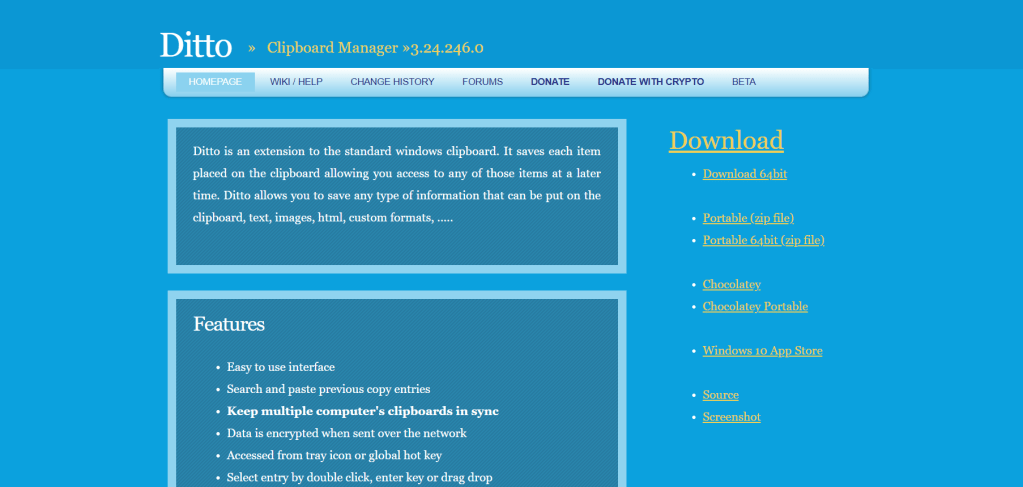
Tried and trusted for over a decade, Ditto is the clipboard manager of choice for Windows users who want power and customization—without a learning curve.
Why Ditto Delivers:
- Full-featured clipboard history with images and files
- Sync across multiple Windows machines
- Customizable hotkeys and filters
- Lightweight and non-intrusive
- Portable version available for USB drives
💰 Pricing: 100% Free (open-source)
4. Clipboard Master (Windows)
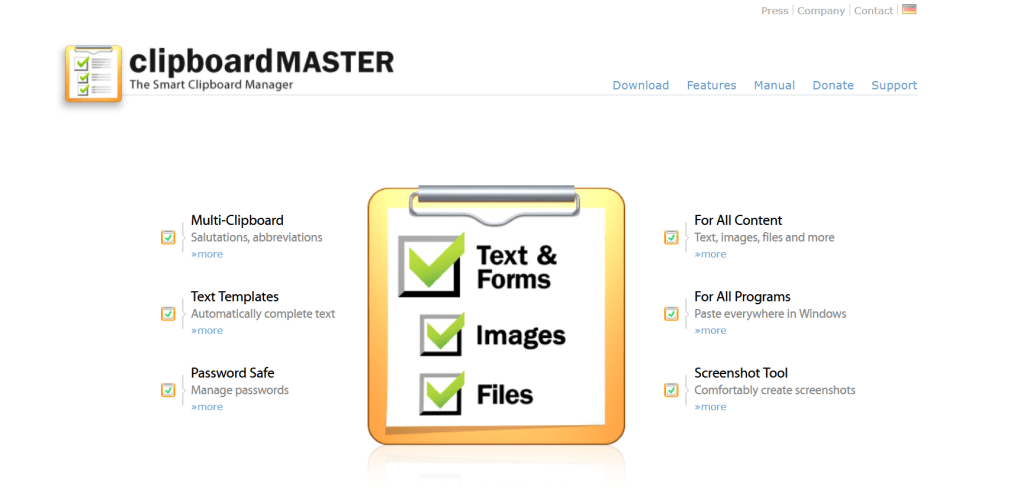
If you’re a productivity power user, Clipboard Master is built for you. It goes beyond just clipboard history—think quick text templates, smart formatting, and even password management.
Why Power Users Love It:
- Clipboard history + text snippets + auto-complete
- Works with files, folders, and screen captures
- Smart rules for apps and file types
- Built-in password and form filling
- Tons of keyboard shortcuts
💰 Pricing: Free for personal use
5. PastePal (Mac, iOS)

PastePal PastePal is a sleek, next-gen clipboard manager that’s quickly gaining traction for its smooth interface, detailed customization, and seamless sync across Apple devices.
Why PastePal is Growing Fast:
- Timeline view with category tags
- Keyboard-driven interface for speed
- Universal clipboard support between Apple devices
- Offline mode + iCloud sync
- Privacy-first: Exclude sensitive data from tracking
Pricing: $8.99 one-time purchase (iOS) + optional Mac license via Setapp
Final Thoughts
Clipboard managers are one of those tools you didn’t know you needed until you start using one. After that, going back feels like trying to navigate with a paper map in the age of Google Maps.
So whether you’re on macOS, Windows, or both, upgrading your clipboard game could be one of the smartest productivity moves you make this year.
Choose the one that fits your workflow and stop losing that “perfectly crafted” sentence ever again.
Note: Some links in this post may be affiliate links. If you purchase through them, we may earn a small commission at no extra cost to you.
![nick [Alliedify] Avatar](https://0.gravatar.com/avatar/6955a6009ff9c6a76e2eb88c263c9426c8c386b0a7637b4d0cc051871ee8c9f3?s=40&d=identicon&r=G)
 Alliedify
Leave a comment