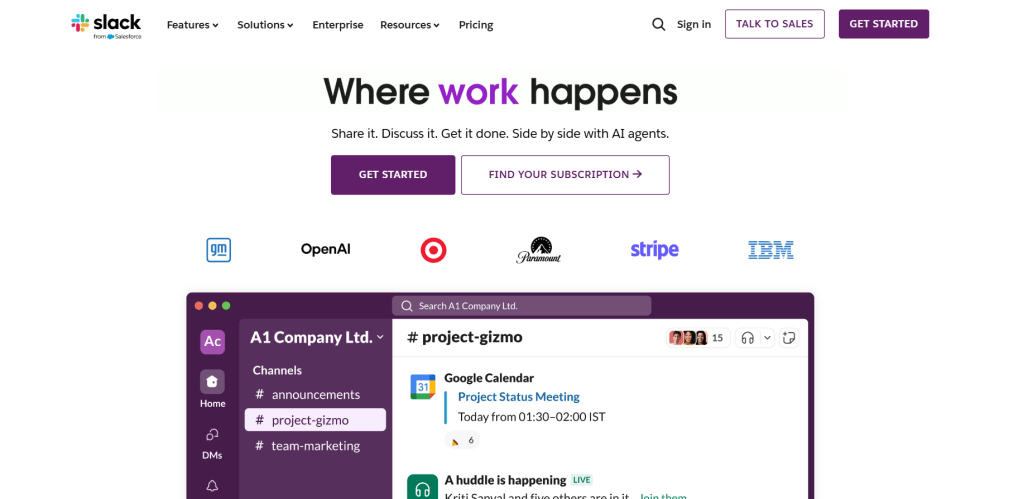
Slack is a leading team communication platform that brings messaging, collaboration, and organization under one roof. Whether you’re working remotely, in-office, or hybrid, Slack keeps your team connected with real-time messaging, file sharing, and organized channels that streamline conversations and reduce email clutter.
Think of it as your digital HQ—a place where ideas flow, updates are instant, and everyone stays on the same page.
Here are some of the best features of Slack:
Organized Conversations with Channels
With Slack, you can:
- Create channels for teams, projects, or topics
- Keep discussions organized and searchable
- Set channel privacy (public or invite-only)
- Pin important messages or files for easy access
No more lost emails or messy group chats—just clear, focused communication.
Real-Time Messaging
Slack lets your team:
- Send direct messages or group chats instantly
- React with emojis, gifs, and threads
- Share ideas, updates, or quick questions on the fly
- Get push or desktop notifications (or snooze when needed)
It’s fast, informal, and built for how teams really talk.
File Sharing & Collaboration
Collaboration is effortless with:
- Drag-and-drop file uploads
- Google Drive and Dropbox integrations
- In-line previews for images, PDFs, and documents
- Comments and feedback right next to the content
Perfect for working on documents, designs, or presentations together.
Integration with Tools You Already Use
Slack plays well with your favorite tools, including:
- Google Workspace, Microsoft 365, and Notion
- Trello, Asana, ClickUp, and Monday.com
- Zoom, Google Meet, and Outlook Calendar
- GitHub, Zapier, HubSpot, and 2,000+ more
These integrations help automate tasks and keep everything in sync.
Audio & Video Huddles
Need a quick voice chat? Slack offers:
- Instant “Huddles” for audio/video meetings
- Screen sharing for demos and walkthroughs
- Lightweight calls without needing to open another app
- Reactions and emojis during live discussions
Ideal for stand-ups, brainstorms, or real-time support.
Searchable History & Knowledge Base
Everything in Slack is searchable, so you can:
- Quickly find past conversations
- Filter by person, channel, or keyword
- Access shared documents and links
- Build an internal knowledge base over time
This makes onboarding, referencing, and collaboration smoother.
Is it Free?
Yes! Slack offers a robust free plan with access to up to 90 days of message history, 10 integrations, and unlimited users.
For growing teams, paid plans start at $7.25/month per user, offering unlimited history, more integrations, and advanced admin tools.
Why I Use Slack
Whether I’m coordinating with clients, managing team projects, or brainstorming content ideas, Slack helps me communicate clearly and efficiently. It cuts down on emails, boosts productivity, and builds a strong sense of team—even if we’re working miles apart.
If you’re looking for a modern, flexible way to collaborate, Slack is the communication hub your team needs.
![nick [Alliedify] Avatar](https://0.gravatar.com/avatar/6955a6009ff9c6a76e2eb88c263c9426c8c386b0a7637b4d0cc051871ee8c9f3?s=40&d=identicon&r=G)
 Alliedify
Leave a comment